GSTR-1 · Books vs Portal Matcher
- Match key is GSTIN + Invoice/Note Number — Books and Portal files must be exports of the same GST category structure (
b2b,sez,de / cdnr / cdnur / exp), or matching will be inaccurate. - Rate-split invoices are matched line-by-line — if an invoice has multiple tax-rate lines (e.g. 5% and 18%), each rate-line is matched and compared independently, so you can see exactly which specific line differs instead of just an invoice-level total.
- Always independently verify results before relying on them for return filing, reconciliation sign-off, or any statutory purpose — see the Disclaimer below.
Taxpayer Details
Upload the files
GSTR-1 Reconciliation Tool – Compare GST Portal vs Books
GSTR-1 Reconciliation Tool – Portal vs Books
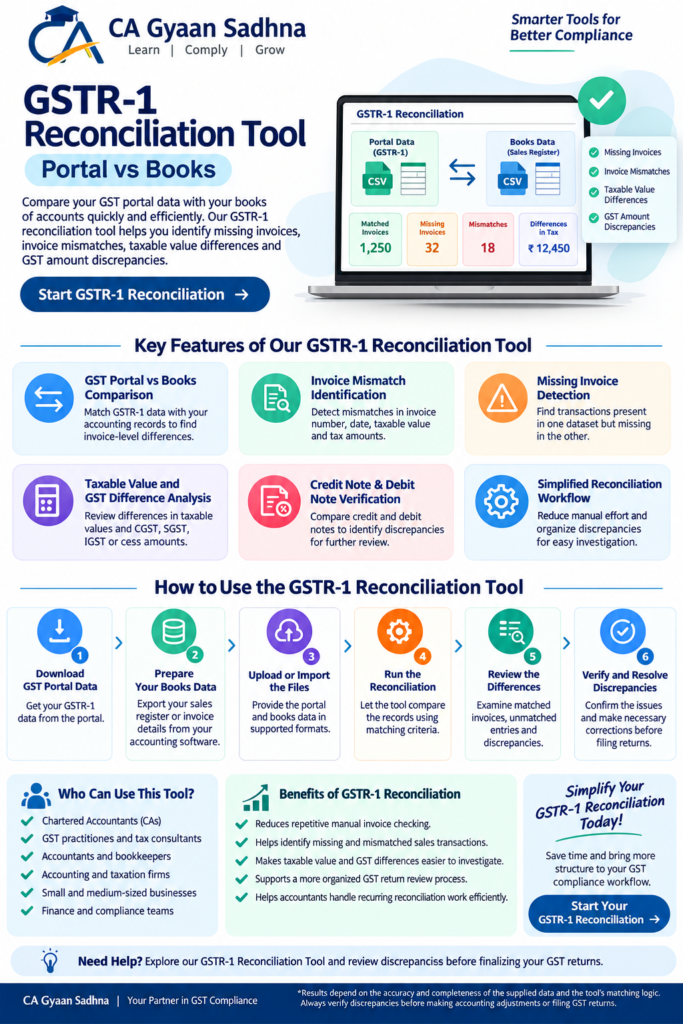
GSTR-1 reconciliation tool helps you compare GST portal data with your books of accounts quickly and efficiently. Our Portal vs Books GSTR-1 Reconciliation Tool helps Chartered Accountants, tax consultants, accountants, and businesses identify missing invoices, invoice mismatches, taxable value differences, and GST amount discrepancies.
Simplify your GST reconciliation process and review differences between your GSTR-1 data and sales register before finalizing your GST returns.
[Start GSTR-1 Reconciliation]
What Is GSTR-1 Reconciliation?
GSTR-1 reconciliation is the process of comparing the outward supply details reported or prepared for GSTR-1 with the sales invoices and transaction records maintained in your books of accounts.
Differences can arise due to missing invoices, incorrect invoice numbers, differences in taxable values, GST rate variations, tax amount mismatches, credit notes, debit notes, or transactions recorded in different reporting periods.
Reconciling these records helps identify discrepancies that may require correction or further verification before filing or finalizing GST returns.
Key Features of Our Portal vs Books GSTR-1 Reconciliation Tool
1. GST Portal vs Books Comparison
Compare GSTR-1 data with your accounting records to identify differences between reported invoice details and book entries.
2. Invoice Mismatch Identification
Identify invoices where details such as invoice number, invoice date, taxable value, or tax amounts do not match.
3. Missing Invoice Detection
Find transactions appearing in one dataset but not in the other, helping you investigate missing or unrecorded sales invoices.
4. Taxable Value and GST Difference Analysis
Review differences in taxable values and applicable CGST, SGST, IGST, or cess amounts, wherever relevant data is available.
5. Credit Note and Debit Note Verification
Compare credit notes and debit notes included in the datasets to identify differences that may require further review.
6. Simplified Reconciliation Workflow
Reduce repetitive manual comparisons and organize discrepancies for easier investigation and follow-up.
Features depend on the matching rules, input formats, and reports supported by the tool.
How to Reconcile GSTR-1 Data with Books
Step 1: Download Your GST Portal Data
Obtain the relevant GSTR-1 data or report from the GST portal in a format supported by the tool.
Step 2: Prepare Your Books Data
Export the corresponding sales register or invoice details from your accounting software.
Step 3: Upload or Import the Files
Provide the portal and books data according to the tool’s supported file formats and instructions.
Step 4: Run the Reconciliation
Allow the tool to compare the records using its available matching criteria.
Step 5: Review the Differences
Examine matched invoices, unmatched entries, and differences in invoice details or tax amounts.
Step 6: Verify and Resolve Discrepancies
Verify discrepancies against the original invoices, accounting records, and GST portal data before making corrections or filing returns.
Who Can Use This GSTR-1 Reconciliation Tool?
Chartered Accountants (CAs)
GST practitioners and tax consultants
Accountants and bookkeepers
Accounting and taxation firms
Small and medium-sized businesses
Finance and compliance teams
Benefits of Portal vs Books GSTR-1 Reconciliation
Reduces repetitive manual invoice checking.
Helps identify missing and mismatched sales transactions.
Makes taxable value and GST differences easier to investigate.
Supports a more organized GST return review process.
Helps accountants handle recurring reconciliation work more efficiently.
Frequently Asked Questions
What Is a Portal vs Books GSTR-1 Reconciliation Tool?
It is a tool designed to compare GSTR-1 data from the GST portal with sales records maintained in books of accounts and highlight discrepancies based on its matching rules.
Why Should I Reconcile GSTR-1 with My Books?
Reconciliation helps identify differences between reported GST data and accounting records, allowing you to investigate missing invoices, incorrect values, and tax amount variations.
Can This Tool Identify Missing Invoices?
It can help identify entries appearing in one dataset but not the other, provided the tool supports unmatched-entry detection and the uploaded data is suitable for comparison.
Is GSTR-1 Reconciliation Useful for CA Firms?
Yes. It can help CA firms and tax professionals organize invoice comparisons, identify exceptions, and review discrepancies, subject to the tool’s supported workflow.
Does Reconciliation Automatically Correct GST Returns?
No. Reconciliation identifies potential differences for review. Verify each discrepancy and make any necessary corrections through the appropriate accounting or GST filing process.
Simplify Your GSTR-1 Reconciliation Today
Save time on repetitive comparisons and bring more structure to your GST compliance workflow with our Portal vs Books GSTR-1 Reconciliation Tool.
Start reconciling your GSTR-1 data today and review discrepancies before finalizing your GST returns.
Disclaimer: This tool is intended to assist with reconciliation. Results depend on the accuracy and completeness of the supplied data and the tool’s matching logic. Always verify discrepancies before making accounting adjustments or filing GST returns.