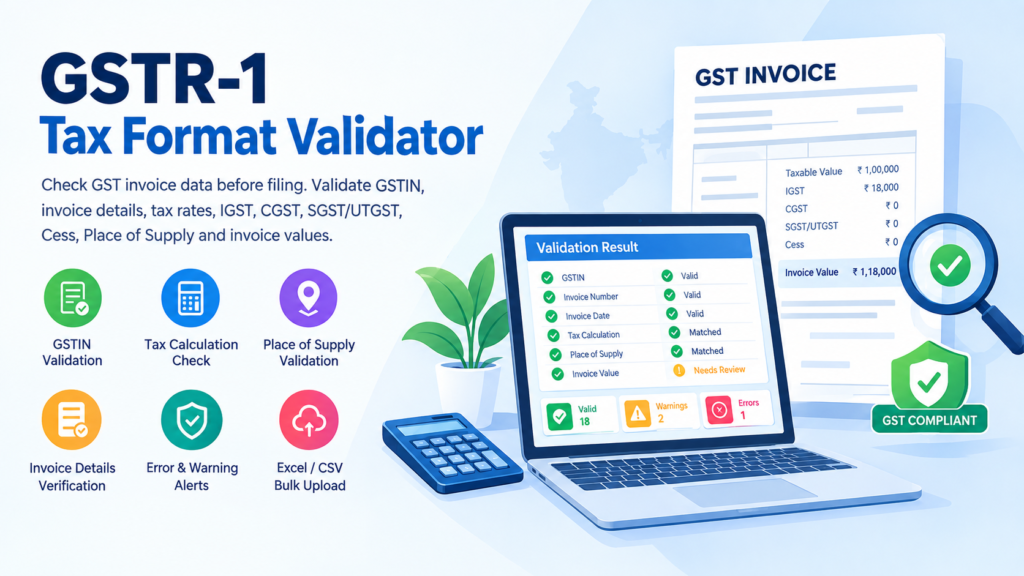
GSTR-1 Auto Summary & Validation Tool
- Upload one GSTR-1 workbook — the GST offline-tool format. Your file should contain its category sheets together (b2b/sez/de, b2cl, b2cs, cdnr, cdnur, exp, hsn, docs, exemp). The tool auto-detects each sheet and reconciles every category on its own. It reads the official portal/offline-tool layout only — not a custom accounting export.
- Enter your own GSTIN — it's required, not optional. The GSTR-1 workbook never contains the filer's GSTIN, so the tool can't tell Intra-State from Inter-State without it. Your home State is derived from its first two digits.
- Multi-rate invoices are consolidated automatically. An invoice split across several tax slabs (e.g. 5% and 18%) is grouped by GSTIN + Invoice Number before the invoice-value check runs, so it isn't wrongly flagged as a duplicate or a value mismatch.
- Tax is computed, not compared. The offline-tool format carries only Rate and Taxable Value — the portal derives the tax split itself. This tool calculates the correct IGST/CGST/SGST from your Supplier State vs POS and flags anything upstream that looks wrong (POS, rate, GSTIN, duplicates, zero invoice value).
- HSN/SAC codes are validated against the official master list (21,935 HSN + 681 SAC codes, built into the tool). Invalid codes appear on the Dashboard and in the error report — no separate upload needed.
- Matching Tolerance is ₹1 by default (rounding on tax calculation). You can adjust it below, before analysing.
- Encountered an error? Please write to us at cagyaansadhna@gmail.com and we will assist you promptly.
1. Upload & Setup
The GSTR-1 Tax Format Validator is a useful online tool...
The GSTR-1 Tax Format Validator is a useful online tool designed to help businesses, accountants, tax professionals, and GST practitioners check their invoice and tax information before preparing or filing GSTR-1. Accurate invoice data is important for proper GST reporting, reconciliation, and compliance. Even a small mistake in GSTIN, invoice number, Place of Supply, taxable value, tax rate, IGST, CGST, SGST/UTGST, Cess, or invoice value can create differences during reconciliation or cause problems while preparing GST returns.
This validator helps you review important GST invoice information in a structured and easy-to-understand format. Instead of manually checking every calculation, users can enter or upload their GSTR-1-related data and verify whether the tax amounts and basic invoice information are consistent.
What Does the GSTR-1 Tax Format Validator Check?
The GSTR-1 Tax Format Validator can be designed to check several important fields commonly used in GST invoice reporting. These include GSTIN, invoice number, invoice date, recipient GSTIN/UIN, Place of Supply, taxable value, GST rate, IGST, CGST, SGST/UTGST, Cess, invoice value, reverse charge and invoice type.
The tool can also help determine whether a transaction is an intra-State supply or inter-State supply based on the taxpayer’s GSTIN State Code and the Place of Supply. This is particularly useful when checking whether the tax has been reported under the correct tax component.
For example, where the taxpayer State Code and Place of Supply State Code indicate an intra-State transaction, the applicable tax may generally be represented through CGST and SGST/UTGST. Where the transaction is inter-State, IGST may generally apply. The validator can calculate the expected tax based on the taxable value and entered tax rate and compare the result with the tax amounts entered by the user.
GSTIN Validation
One of the first checks should be the GSTIN. A GSTIN is a 15-character identification number used under the GST system. An incorrect or incomplete GSTIN can result in incorrect recipient identification and reconciliation issues.
The GSTR-1 Tax Format Validator can check the basic GSTIN format and identify obvious formatting problems. Where applicable, it can also identify the State Code contained in the GSTIN and use that information for further validation.
A result such as “Valid GSTIN Format” or “Invalid GSTIN Format” can be displayed clearly so that the user can review the information before proceeding.
Invoice Number and Invoice Date Validation
The validator can also check the invoice number and invoice date. Invoice numbers should be entered consistently and should not contain unnecessary spaces or formatting errors. Duplicate invoice numbers can also be flagged when bulk data is uploaded.
Invoice dates can be checked for valid date formatting and can be compared with the selected reporting period where appropriate.
For example, if the selected return period is August 2026 and an invoice date is entered as August 15, 2026, the tool can show that the date format is valid and that the invoice falls within the selected period.
Taxable Value and GST Rate
The taxable value is one of the most important values used for GST calculation. The validator can calculate the expected tax using the taxable value and selected GST rate.
For example, if the taxable value is ₹1,00,000 and the GST rate is 18%, the total GST amount before considering Cess would be ₹18,000.
For an applicable intra-State transaction, this may be represented as:
- CGST: ₹9,000
- SGST/UTGST: ₹9,000
For an applicable inter-State transaction, it may be represented as:
- IGST: ₹18,000
The tool can compare these calculated values with the values entered by the user and identify differences.
Place of Supply Validation
Place of Supply (POS) is another important field for GST reporting. The validator can compare the taxpayer’s State Code with the Place of Supply State Code and identify whether the transaction appears to be intra-State or inter-State for the purpose of the validation logic.
If the expected tax structure does not correspond with the entered tax amounts, the tool can display a warning or error.
For example:
Taxpayer State: Maharashtra
Place of Supply: Maharashtra
Expected Structure: CGST + SGST/UTGST
If IGST has been entered instead, the validator can flag the transaction for review.
Similarly, where the Place of Supply is another State, the tool can check whether the entered tax structure corresponds to the expected inter-State treatment.
GSTR-1 Validation Before E-Invoice Reconciliation
Validation can be performed before comparing Books GSTR-1 information with E-Invoice data. The GSTR-1 Tax Format Validator can first identify tax calculation and data-format issues, while a separate reconciliation process can compare Books GSTR-1 records with E-Invoice records.
A practical workflow can therefore be:
Enter or upload GSTR-1 data → Validate invoice information → Check tax calculations → Correct errors → Reconcile with E-Invoice data → Generate final reports
This approach helps separate data validation from data reconciliation.
Final Validation Result
After all checks are completed, the tool can provide an overall result such as:
✓ VALID — No validation errors identified
⚠ REVIEW REQUIRED — Warnings identified
✕ ERROR — One or more validation errors identified
The detailed results should remain available so the user can identify the affected invoice and correct the information.
The GSTR-1 Tax Format Validator is therefore intended to provide a convenient first-level review of GST invoice data, tax calculations, GSTIN information, Place of Supply, and invoice values before the information is used for GST return preparation or reconciliation.
GSTR-1 Tax Format Validator for GST Invoice Verification
The GSTR-1 Tax Format Validator helps businesses check important invoice information before preparing or filing their GST return. Instead of manually checking every invoice, users can review GSTIN, invoice numbers, invoice dates, taxable values, tax rates, Place of Supply, and applicable GST amounts in one convenient validation process.
Using a GSTR-1 Tax Format Validator can help identify common data-entry mistakes before they affect your GSTR-1 filing. The tool can highlight missing information, incorrect tax calculations, invalid GSTIN formats, and other potential issues that require attention.
Check GST Tax Calculations Easily
A major purpose of the GSTR-1 Tax Format Validator is to verify whether the tax amounts entered against an invoice are consistent with the taxable value and applicable GST rate.
For example, if an invoice has a taxable value of ₹1,00,000 and GST is charged at 18%, the expected tax amount can be checked against the IGST or CGST and SGST/UTGST values entered in the invoice data.
The GSTR-1 Tax Format Validator can therefore provide an additional check before the data is used for GST return preparation.
Validate Place of Supply and GST Details
The GSTR-1 Tax Format Validator can also help review the Place of Supply and determine whether the tax treatment appears consistent with the transaction details.
For example, transactions may require IGST when the supply is treated as inter-state, while intra-state transactions generally involve CGST and SGST/UTGST. Reviewing these fields before filing can help businesses identify potential inconsistencies.
Why Use a GSTR-1 Tax Format Validator Before Filing?
Using a GSTR-1 Tax Format Validator before preparing the final return gives businesses an opportunity to identify errors at an earlier stage. Correcting invoice information before filing can make the GSTR-1 preparation process more organized and reduce the need for manual checking.
The validator can be particularly useful for businesses handling a large number of invoices or preparing GST data from accounting software, Excel files, or CSV files.
Useful Links